Still Approving Things on WhatsApp? What a Real Approval Workflow Looks Like
Discounts, expenses, and purchase orders approved with a thumbs-up emoji work until something goes wrong. Here's what a proper approval workflow includes, and how it speeds decisions up.
Businessapproval-workflowbusiness-automationoperationsexpense-managementinternal-tools3 min read·
"Can I give this customer 15% off?" 👍. "Need to buy a replacement part, ₹8,000, OK?" ✅. "Approving Priya's leave for next week?" "Yes."
For a lot of growing businesses, WhatsApp is the approval system. It's fast, everyone has it, and it works, right up until someone asks who approved that discount, a receipt photo gets lost 400 messages up, or the owner is on a flight and nothing moves for a day.
Where chat-based approvals break
No audit trail. Proving who approved what, and when, means scrolling through chats, if the message wasn't deleted.
No status. Is the request approved, rejected, or just unseen? Nobody knows without asking again.
No rules. Anyone can approve anything, and limits exist only in people's heads.
Bottlenecks. Everything waits for one person, and nothing routes to a backup when they're away.
No connection to what happens next. After the thumbs-up, someone still has to create the order, update the price, or pay the expense by hand.
What a real approval workflow includes
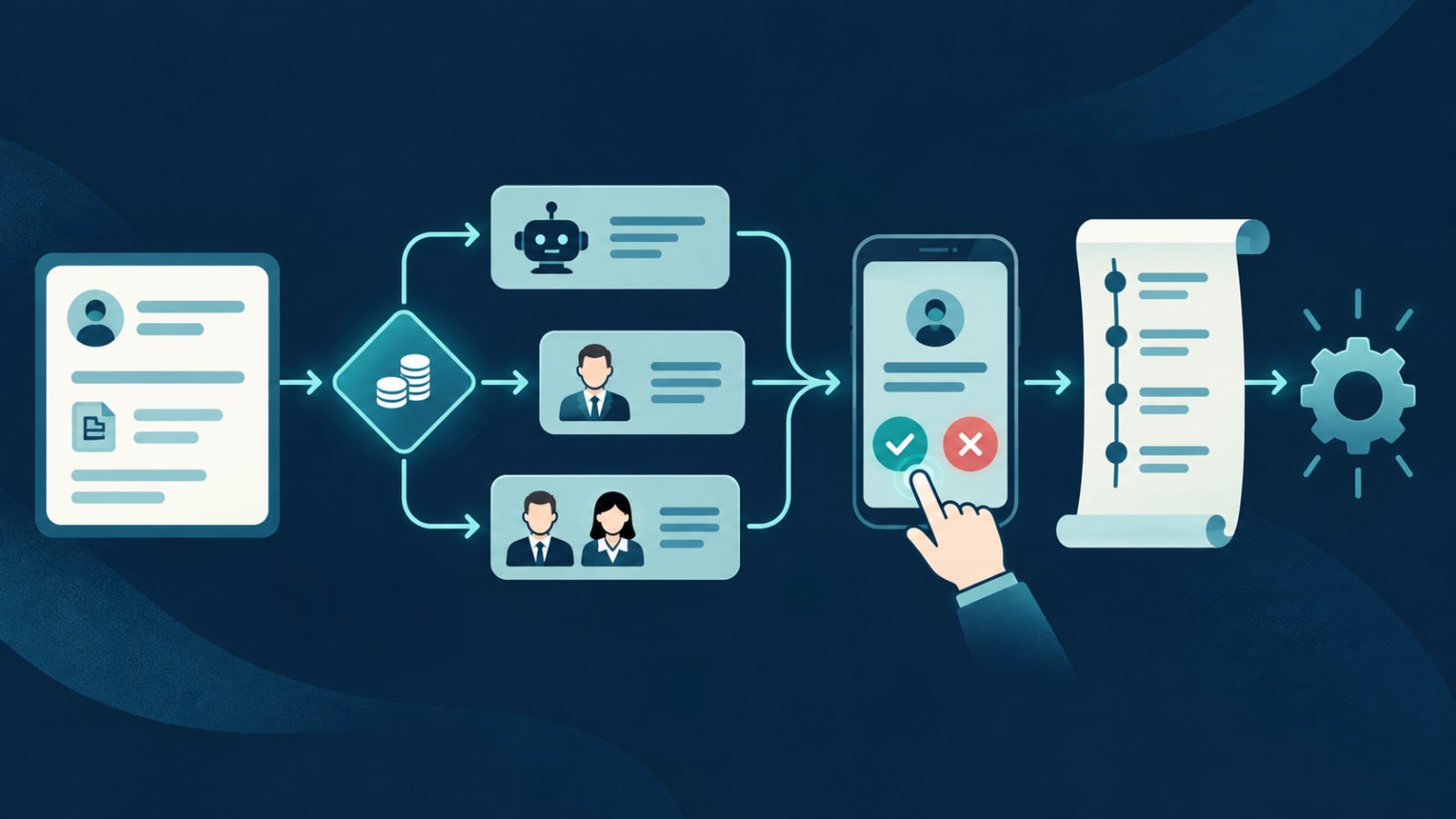
A structured request. Required fields and attachments (amount, reason, receipt photo) so approvers get everything in one place.
Automatic routing. Requests go to the right person based on type, amount, branch, or team.
Limits and thresholds. Small expenses auto-approve; larger ones need a manager; the largest need two sign-offs.
One-tap mobile approval. A push notification with the details and Approve / Reject buttons, so approvals take seconds, even on the move.
Reminders and escalation. Unanswered requests nudge the approver, then escalate after a set time.
Delegation. When an approver is away, their queue goes to a named backup.
A permanent audit log. Who requested, who approved, when, and what changed.
Automatic follow-through. Once approved, the system applies the discount, raises the purchase order, or queues the payment.
What businesses typically put through approval
Discounts and custom pricing
Expenses and reimbursements
Purchase orders and vendor payments
Refunds and credit notes
Quotes sent to customers
Leave, shift swaps, and overtime
Changes to sensitive records like prices, bank details, or posted invoices
Examples from real systems
Field sales: in the Stallion Eyewear field app, salesmen submit travel and business expenses with bill photos attached, instead of sending them into a group chat.
Customer quotes:FieldOps lets customers approve quotes online, which turns straight into a scheduled job.
Restaurant staff:Outloom handles shift-swap requests and staff approvals across outlets, with live updates to the central hub.
Owners sometimes worry that a formal workflow will slow things down. In practice it's the opposite: clear routing, mobile approvals, and auto-approval for small amounts mean most requests are decided in minutes, and nobody has to chase anyone. The notifications that make it work need careful design, which we cover in the notification system nobody budgets for.
Ready to move approvals out of the group chat? We build approval workflows into business systems and mobile apps your team already uses. Tell us what gets approved on WhatsApp today.