
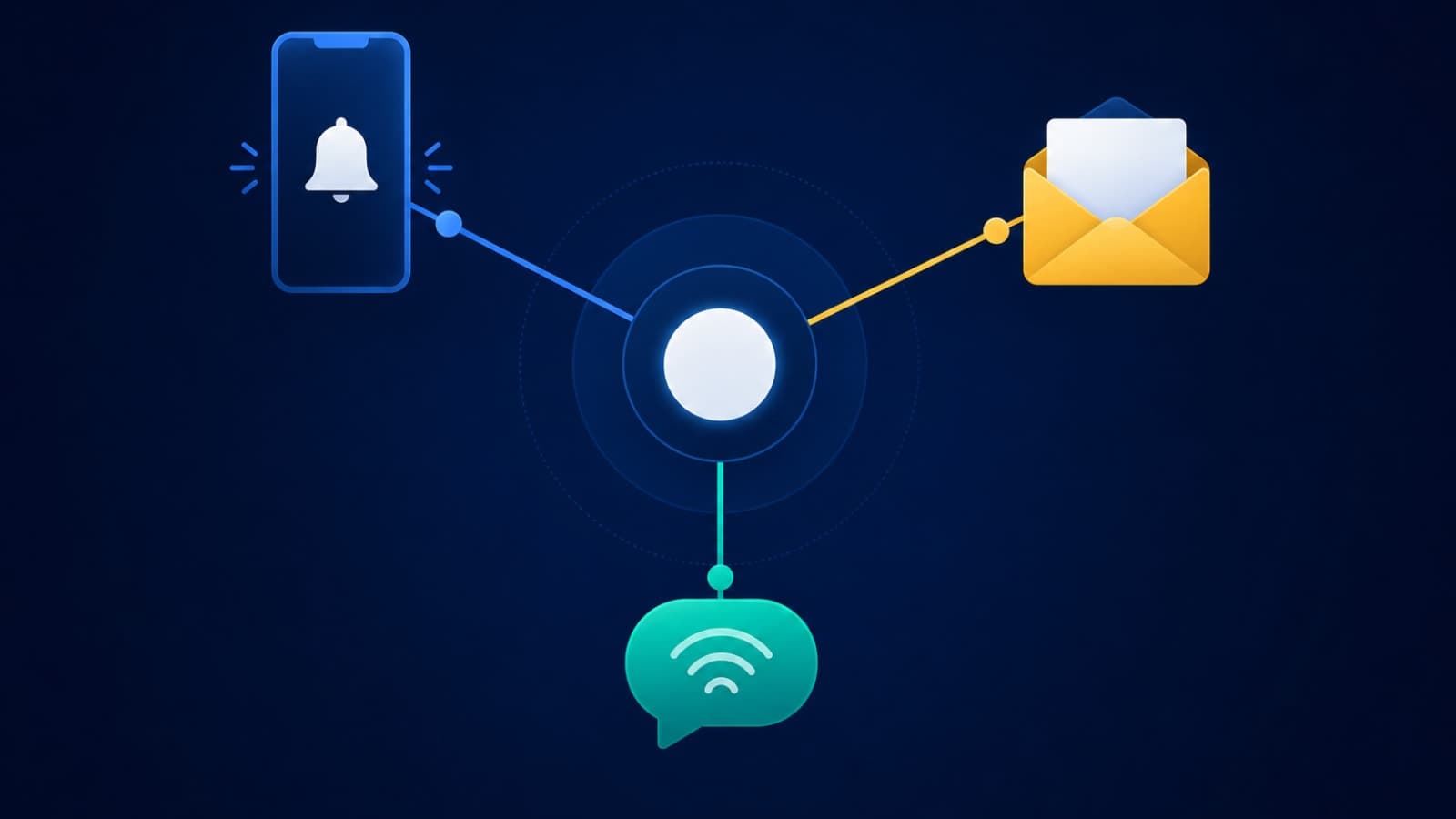
Most teams design their database schema, auth flow, and API layer on purpose. Then someone adds sendPushNotification() in a sprint, wires up a transactional email provider a few weeks later, and bolts on an SMS OTP call when a payment fails. Three separate integrations, three separate mental models, built by whoever had time that week. Nobody designed a notification system — they just accumulated notification code. It works fine in a demo. Then six months post-launch, retention quietly slides, support tickets mention "I never got the alert," and the team can't say why, because there was never one system to look at in the first place — just three.
Push, Email, and SMS Are One System, Not Three Features
Push, email, and SMS get scoped as separate line items because they're built by different libraries at different times. But from a user's point of view, they're one thing: does this app tell me what I need to know, when I need to know it, without treating me like a broadcast list? That single question needs a shared identity layer (one user, one set of preferences, one record of what's already been sent) sitting underneath all three channels — not three disconnected client SDKs each guessing independently.
Without that shared layer, you get the failure modes every founder has seen from the receiving end: a push and an email for the same event landing four minutes apart, an SMS OTP retried three times because the push confirmation never fired, or a re-engagement email going out to a user who uninstalled the app two weeks ago. None of these are copywriting problems. They're architecture problems, and they compound as you scale — which is exactly why we treat this as backend infrastructure work, not a UI feature, whenever we build it into a client's product through our backend API development engagements.
The Delivery Reliability Problem Nobody Tests For
Here's the part that surprises most non-technical founders: when your backend gets a 200 response from Firebase Cloud Messaging (FCM) or Apple's Push Notification service (APNs), that means the message was accepted, not that it was delivered. Push is best-effort by design. Industry data puts real-world delivery rates around 85–90% for properly implemented systems — and below 40% for poorly tested ones, usually because of stale device tokens, throttling, or malformed payloads that fail silently.
- Stale tokens — every uninstall, reinstall, or app data clear invalidates a device token; FCM treats tokens unused for roughly nine months as dead, and backends that don't prune them keep sending into the void
- Battery and OS throttling — both platforms delay or coalesce notifications to protect battery life, so "sent instantly" and "received instantly" are different claims
- Silent failures — a background push that's over its hourly budget is dropped without an error, so a naive integration has no idea anything went wrong
- Platform asymmetry — iOS opt-in rates still run well below Android's in most verticals, so a push-only strategy structurally under-reaches a chunk of your iOS base
Why a Fallback Channel Isn't Optional for Anything That Matters
The fix isn't "make push more reliable" — it's accepting push is inherently best-effort and designing around that. The pattern that holds up at scale is a three-tier message taxonomy: transactional messages (order status, delivery updates, security alerts) that must reach the user through whatever channel works, behavioural triggers (cart reminders, inactivity nudges) that can tolerate push failing silently, and promotional sends that are opt-in only. Transactional messages are the ones that need a real fallback path — push first, SMS or email if there's no delivery confirmation within a set window.
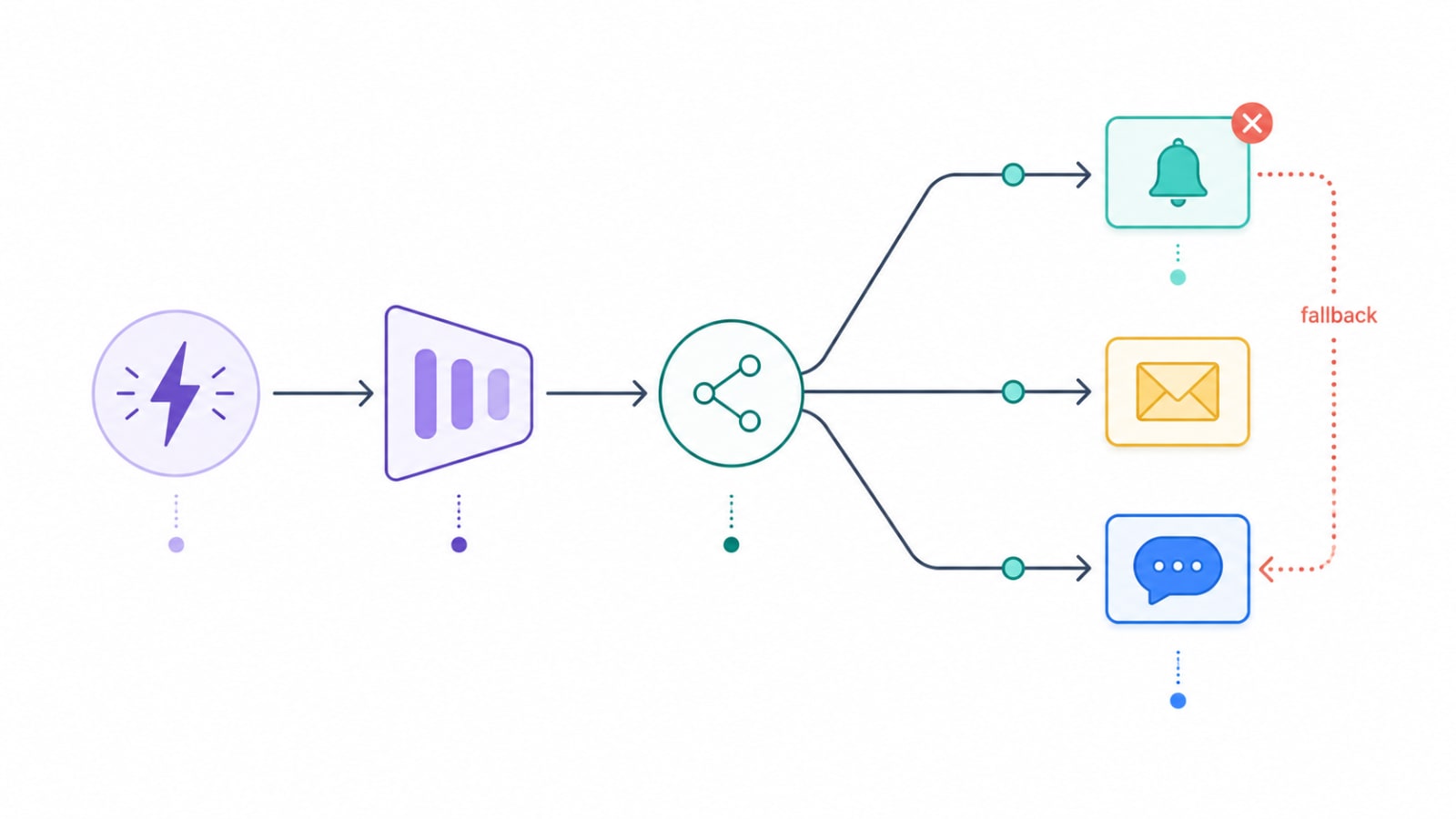
This is exactly the problem we solved on FieldOps, a field service platform we built with an admin dispatch dashboard, a technician mobile app, and a customer portal. A dispatch alert that a technician never sees isn't a minor bug — it's a missed job. So the notification layer tracks delivery confirmation per channel and automatically escalates from push to SMS when a technician's device doesn't acknowledge a new assignment within minutes, instead of assuming the first send worked.
Opt-In Fatigue Is the Retention Killer Nobody Budgets For
The instinct to "send more to drive engagement" backfires fast, and the data on this is now unambiguous. Sending just one push a week is enough to make roughly 10% of users disable notifications and 6% uninstall the app outright. Push two to five times a week and you're looking at nearly half of users opting out entirely. Meanwhile, users who keep notifications enabled retain at meaningfully higher rates than those who've opted out — so the channel is genuinely valuable, right up until it's abused.
- Segment every notification into transactional, behavioural, or promotional before it's built — only promotional sends need explicit, revocable opt-in and frequency caps
- Set a hard weekly cap on non-transactional sends per user, and track opt-out rate by message type, not just in aggregate
- Add silent hours (no non-critical sends late at night in the user's local time) — this alone measurably cuts complaint and disable rates
- Offer a digest or "snooze" option instead of an all-or-nothing toggle, so users downgrade frequency instead of switching everything off
We designed for this cadence problem directly on Penso Notes, our Flutter journaling app, where a daily reminder is the entire retention mechanism — but the wrong reminder time or a nagging tone kills the habit it's meant to build. The notification logic lets each user set their own reminder window and backs off automatically after repeated dismissals, rather than escalating frequency the way a naive engagement-maximizing system would. It's the same principle covered in more depth in our piece on how smart content delivery improves engagement and retention — timing and relevance beat raw send volume every time.
The Hidden Cost Per Notification at Scale
Push looks free because FCM and APNs don't charge per message. But "free" only covers the platform hop; it doesn't cover the queue workers, retry logic, delivery tracking, and monitoring your backend needs to run reliably at volume — and that's real, ongoing infrastructure cost that shows up on your hosting bill, not your notification vendor's invoice. SMS is the channel where the math surprises founders most directly.
- SMS — roughly $0.008–$0.05 per segment on platforms like Twilio, before carrier surcharges (another $0.003–$0.005) and one-time A2P 10DLC registration fees in the US; MMS or messages over 160 characters cost more, and pricing varies enormously by country
- Email — the cheapest per-send channel by far, often under $0.001–$0.0013 per email at volume, but deliverability (SPF/DKIM/DMARC setup, sending reputation, inbox placement) is engineering work you pay for once and maintain forever
- Push — no per-message platform fee, but the backend fanout, token management, and delivery-confirmation system behind it needs its own hosting and engineering budget, which is why it's worth planning for through hosting and deployment from day one rather than retrofitting it once volume grows
For India-first products specifically, WhatsApp Business templates and providers like MSG91 typically run cheaper per message than global SMS platforms for local numbers, which is worth factoring into channel selection alongside delivery speed. We break this comparison down in more detail, including per-provider pricing, in our guide to email and phone verification tools — the same cost trade-offs apply whether you're sending a one-time verification code or a transactional alert.
What a Coordinated Notification System Actually Looks Like
Once you stop treating push, email, and SMS as three separate features, the architecture becomes fairly standard — the same pattern shows up whether you're a two-person startup or sending millions of messages a day.
- A single identity and preference layer that every channel reads from, so "has this user already been notified about this event" is one query, not three
- An event-driven, queue-based pipeline that decouples the event (order placed, job assigned, inactivity detected) from the send, so a slow or failing provider doesn't block the rest of your application
- A channel router with fallback logic that escalates from push to SMS or email based on delivery confirmation, not blind faith in the first send
- Delivery and engagement tracking that reports open and delivery rates per channel per message type, so you can see fatigue building before opt-outs spike
A notification system that only works in the happy-path demo isn't a smaller version of a production system — it's a different system that happens to look the same in a screenshot.
This is core backend work, and it's the kind of thing that's far cheaper to design correctly at the start of a build than to retrofit after your user base has already learned to ignore your app. Whether you're building this into a new product or adding it to an existing one, it fits naturally alongside SaaS development and mobile application development engagements, not as an afterthought bolted on once someone notices retention slipping.
How We Approach This at Fall Rise
We treat notifications as infrastructure from the first architecture conversation, not a feature we wire up in the last sprint before launch. That means a shared preference layer across channels, queue-based delivery with retries and fallback routing, and per-channel analytics baked in from day one — the same approach we used on FieldOps for guaranteed-delivery dispatch alerts and on Penso Notes for fatigue-resistant daily reminders. If your team is scoping a new product, or noticing that your current notification setup is three unrelated integrations wearing a trench coat, we'd be glad to look at it through our custom software development practice.
Push, email, and SMS aren't three checkboxes to tick off before launch — they're one coordinated system with real reliability limits, real fatigue thresholds, and real per-message economics. Budget for it like infrastructure, and it becomes a retention advantage. Treat it as an afterthought, and it becomes the reason your churn dashboard doesn't add up. If you're planning this for your own product, get in touch with Fall Rise and we'll help you scope it properly the first time.