Fall Rise Infotech

Fall Rise Infotech

MCP Development

Connect your custom dashboard to AI — talk to Claude, ChatGPT, and Gemini in plain language to manage your day-to-day operations.

Tech Stack :
MCP Development banner

"Talk to your system" instead of clicking through it. Fall Rise MCP Core is our MCP (Model Context Protocol) integration layer that connects your existing dashboard — CRM, admin panel, logistics tool, whatever runs your operation — to AI chatbots like Claude, ChatGPT, and Gemini, so your team can get insights and manage day-to-day tasks in plain language instead of navigating screens.


How it works:
  • Your dashboard — your existing system keeps running exactly as it does today; nothing about your product or database changes.
  • Fall Rise MCP Core — a hosted adapter layer we build and manage that translates your dashboard's data and actions into MCP tools, while enforcing exactly which of those tools each user's AI session is allowed to call.
  • AI chatbots — Claude, ChatGPT, Gemini, or any MCP-compatible client connect to your MCP Core endpoint and can query data or trigger actions on your behalf, scoped to what that user is permitted to do.
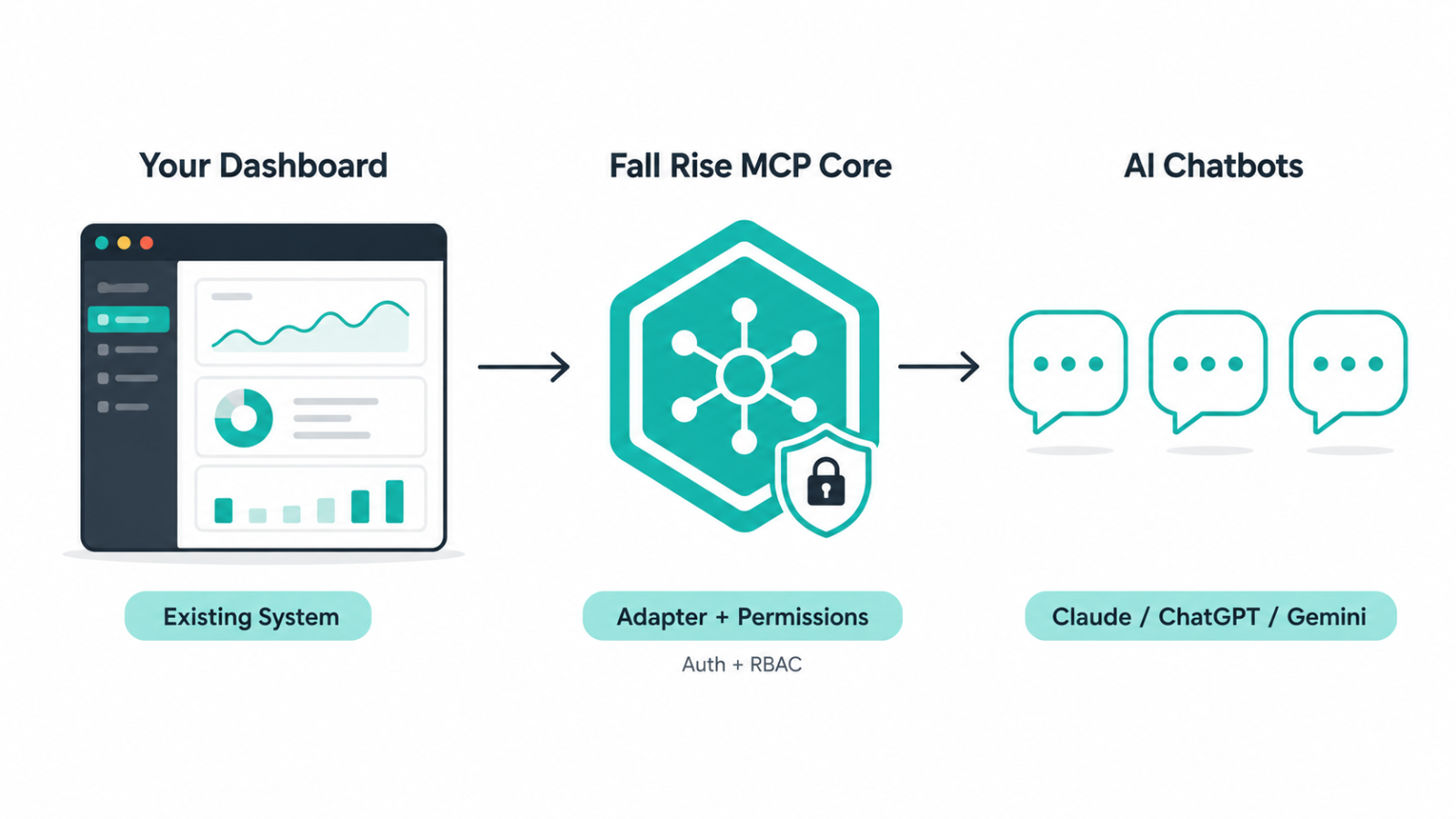
Fall Rise MCP Core architecture: dashboard connects through the MCP Core adapter to AI chatbots

Permissions aren't an afterthought bolted on at the end. If your dashboard already has roles — admin, manager, staff — we mirror them 1:1 as AI-shadow roles, so a manager's AI session gets manager-level access and a staff member's gets staff-level access automatically, with no separate permission list to maintain and drift out of sync. If it doesn't have roles yet, we build a permission matrix scoped specifically to what AI can and can't touch: read-only by default, confirmation required before anything is written or changed, and nothing destructive without explicit human sign-off.


What we deliver:
  • A connected AI chat experience over your existing dashboard — no rebuild of your current system required
  • Dynamic, role-based AI permissions your team controls — decide per role exactly which data and actions AI is allowed to touch
  • Read-only insights out of the box: ask about leads, orders, shipments, tickets, or any entity in your data, in plain language
  • Guarded write actions — status updates, assignments, and other day-to-day tasks — with confirmation prompts before anything changes
  • A full audit trail of every AI-invoked action: who asked, what ran, and when
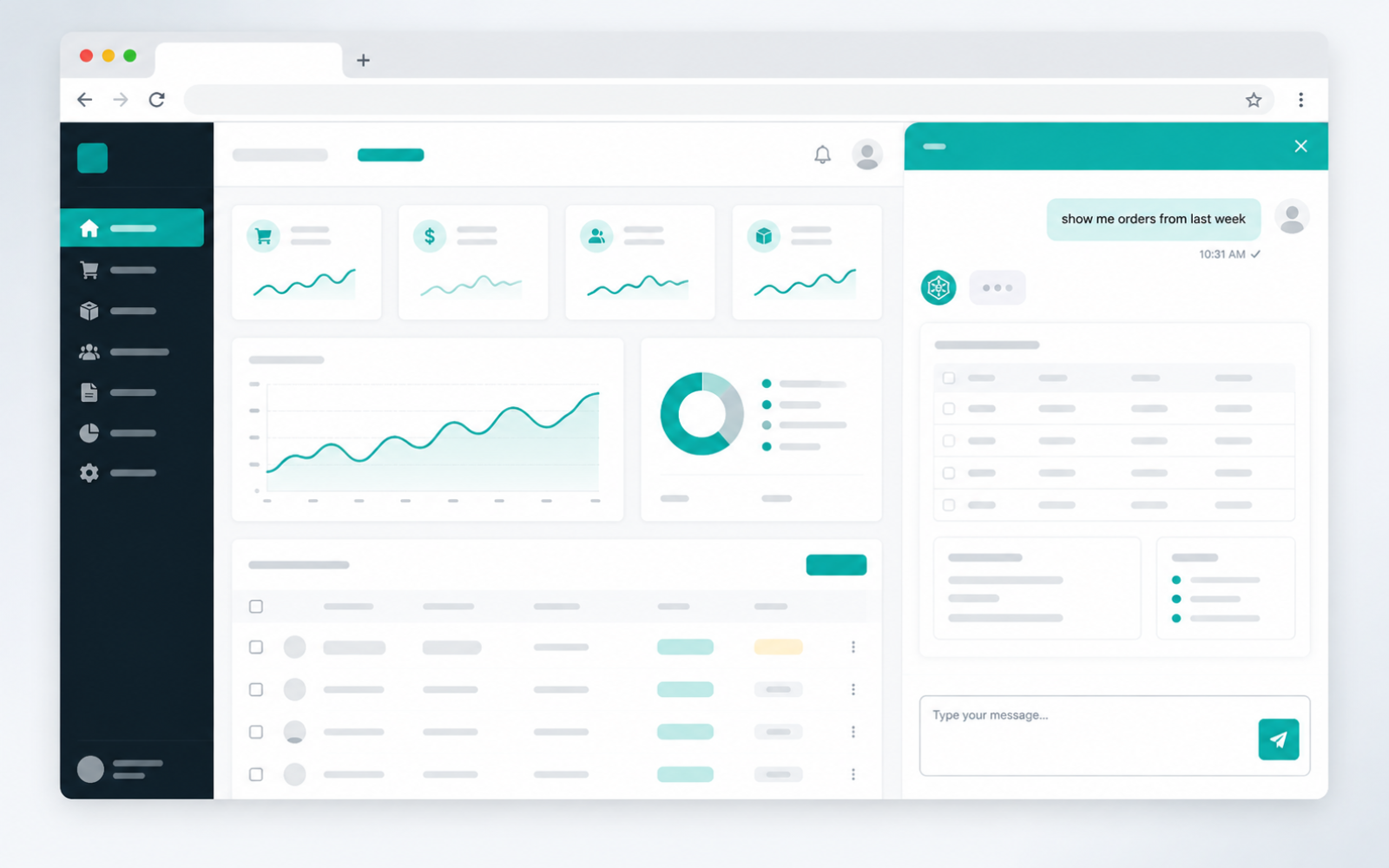
Chatting with a connected dashboard through an AI chat interface

Every integration is built around your specific dashboard, data, and workflows — we scope the entities and actions that matter to your operation, then hand you a working AI connection to it, not a one-size-fits-all plugin.

What's Included

  • Connect any existing dashboard or system — REST or GraphQL API — to Claude, ChatGPT, Gemini, and other MCP-compatible AI clients
  • Dynamic, role-based AI permissions (RBAC) — you control exactly what each role is allowed to ask or do through AI
  • Read-only insights and reporting over your live data, no export or manual lookup required
  • Guarded write actions with confirm-before-write for anything that changes data
  • Full audit logging of every AI-invoked action, exportable for compliance review
  • A fully custom adapter built around your specific entities, fields, and day-to-day operations — not a generic template

How We Work

  1. 1

    Discovery

    We identify your core dashboard/system, its API and auth model, and the entities and actions you want AI to access — plus any compliance or data-residency constraints.

  2. 2

    Permission mapping

    We design how AI access maps to your existing roles (or build a standalone permission matrix if you don't have RBAC yet) — what's read-only, what needs confirmation, and what AI can never touch.

  3. 3

    Adapter development

    We build the MCP adapter against your staging environment — connecting your entities and actions without touching production data.

  4. 4

    Testing

    Your team tries real queries through Claude, ChatGPT, or Gemini against staging, and we tune tool descriptions and guardrails based on how the AI actually interprets requests.

  5. 5

    Go-live & support

    We cut over to production credentials, hand over the audit/monitoring dashboard, and stay on for new entity or action requests as your needs grow.

FAQ

Claude, ChatGPT, Gemini, or any other MCP-compatible AI client — your team can connect through whichever assistant they already use.

No. We connect to your existing system through its API — REST or GraphQL — via an adapter layer, without changing your current codebase or database.

Yes. Permissions are role-based and dynamic — you decide per role what AI can read and what it can change, and write or destructive actions can require confirmation before they run.

Every AI-invoked action is checked against your permission rules before it runs, changes can require explicit confirmation, and everything is logged in a full audit trail you can review.

Typically 2–4 weeks for a standard REST or GraphQL dashboard, depending on how many entities and actions you want AI to access.

Let's work together

We're open to new projects and partnerships — reach out to see how we can collaborate.

Contact