
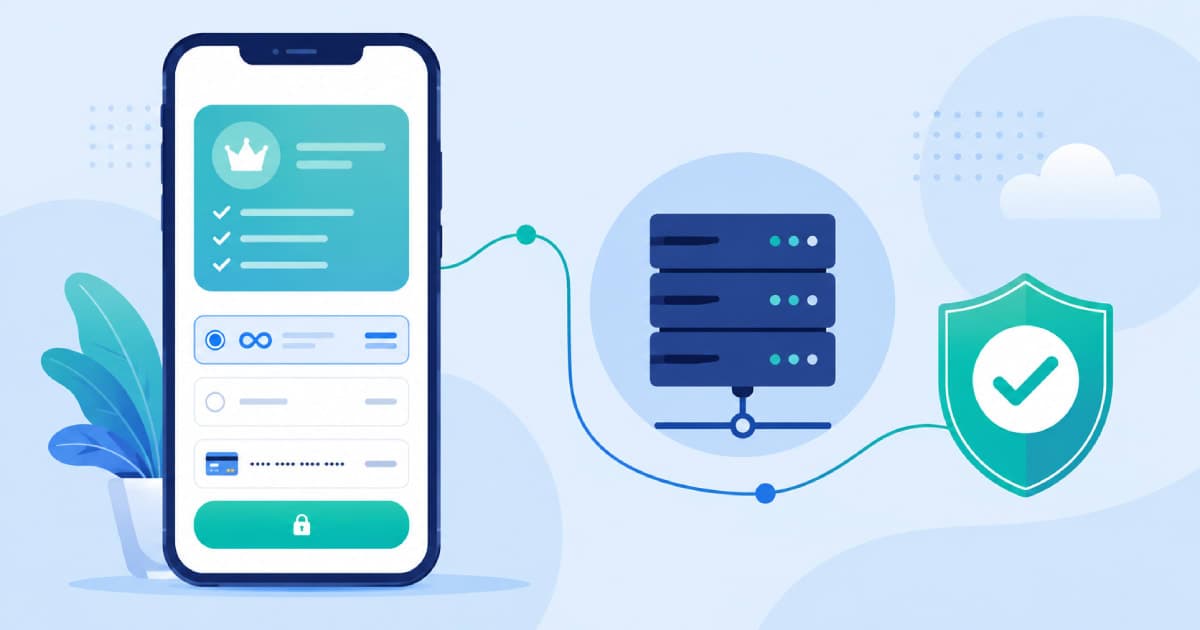
Almost every founder who comes to us with a "broken subscriptions" bug describes the same symptom: a user paid, the app store shows a successful charge, but the app still shows the paywall. The purchase screen itself is rarely the problem — Apple and Google both make the checkout sheet easy to trigger. What breaks is everything after the payment sheet closes: confirming the purchase, validating it server-side, and keeping entitlement in sync when a renewal fails three weeks later. This is the flow we use when we build mobile apps with subscription monetisation, from product ID registration through to handling a payment that's still "pending" an hour after checkout.
Why Subscription IAP Bugs Rarely Show Up in Testing
A subscription isn't a single transaction — it's a lifecycle with renewals, grace periods, price changes, refunds, and involuntary churn from expired cards. Sandbox testing on both platforms compresses this lifecycle into minutes, so teams ship an integration that handles the happy path beautifully and has never once processed a real DID_FAIL_TO_RENEW or account hold event. The fix isn't more manual testing — it's designing the flow so your backend, not the app, is the source of truth for entitlement from day one.
Step 1: Register Product IDs the Way You'll Actually Use Them
Product IDs are permanent once real purchases exist against them — neither App Store Connect nor Play Console lets you delete or meaningfully rename a product ID with live subscribers. Get the structure right before the first TestFlight build goes out.
- Use a stable naming convention that encodes tier and period, e.g.
pro_monthly,pro_yearly,team_monthly— notplan1,plan2. - Create a subscription group on iOS for every tier that should be mutually exclusive (a user can only be on one plan within a group at a time); Android's base plans within a single Play Console subscription do the same job.
- Register IDs identically in both stores wherever possible so your backend can map one internal plan to two store-specific IDs without special-casing every lookup.
- Set up sandbox/test tracks and internal testing tiers immediately — you'll need them repeatedly once RTDN and server notifications are wired in.
Step 2: Serve Plans Dynamically From Your Server
Hardcoding product IDs, prices, and copy into the app binary is the single most common reason teams end up doing an emergency app store release to fix a pricing typo. Instead, the app should fetch an ordered list of available plans from your own backend API at runtime, and only use the store SDK to fetch live, localised pricing for the product IDs your server returns.
This split matters for three reasons. First, you can run pricing experiments or region-specific plans without an app update. Second, you can retire or introduce a plan server-side and have every client pick it up immediately. Third — and this is the one teams miss — when a store adds a new subscription state or your finance team wants to change what's featured, your app doesn't need to know; only your backend does. This same server-driven approach is what makes SaaS products with usage-based or tiered pricing easy to iterate on post-launch.
Step 3: Open Checkout From the App
On iOS, this means using StoreKit 2's Product.purchase() API rather than the older StoreKit 1 transaction queue — StoreKit 2 returns strongly-typed, cryptographically signed JWS transactions and removes a lot of the receipt-parsing boilerplate that used to cause silent bugs. On Android, the Play Billing Library's launchBillingFlow() should be called only after you've confirmed the product details were fetched successfully; launching checkout against a stale or missing SKU is a common source of the generic "item unavailable" error users report.
The purchase sheet closing successfully tells you the store accepted the payment. It does not tell you the entitlement is safe to grant — that confirmation only comes from your own server.
A principle worth keeping on a sticky note during IAP integration
Step 4: Confirm the Purchase and Handle Errors on the Client
The client-side listener — PurchasesUpdatedListener on Android, the StoreKit 2 Transaction.updates stream on iOS — is where most integrations get lazy. It needs to branch on every state the SDK can return, not just success:
- User cancelled — dismiss the loading state silently; this isn't an error worth logging as one.
- Item already owned — treat as a signal to re-sync entitlement from your server rather than showing a generic failure.
- Network or billing service unavailable — retry with backoff; don't let the user assume the purchase failed if the store simply couldn't be reached.
- Purchase pending — show a distinct "processing" state, not success or failure (covered in the edge cases below).
- Verification failure — on Android, a purchase that fails Play's own signature verification should never reach your unlock logic; on iOS, an unverified StoreKit 2 transaction should be discarded, not trusted.
Step 5: Log Every Failure, Not Just Every Success
Teams instrument analytics for successful purchases from day one and add failure logging only after a revenue discrepancy forces the question. Reverse that. Every branch in Step 4 should emit a structured event — product ID, platform, error code, and a request ID that ties the client attempt to the eventual server-side webhook. When a user emails support saying "I paid and nothing happened," this log is the difference between a five-minute lookup and an hour of guessing.
- Log the raw store error code alongside a normalised internal code — store error taxonomies change between SDK versions.
- Include the product ID and plan tier in every log line; "purchase failed" without context is close to useless at scale.
- Correlate client-side purchase attempts with server-side notification receipt using a shared transaction or purchase token — this is what lets you spot a purchase that succeeded at the store but never reached your backend.
Step 6: "Success" on the Client Is a Provisional State
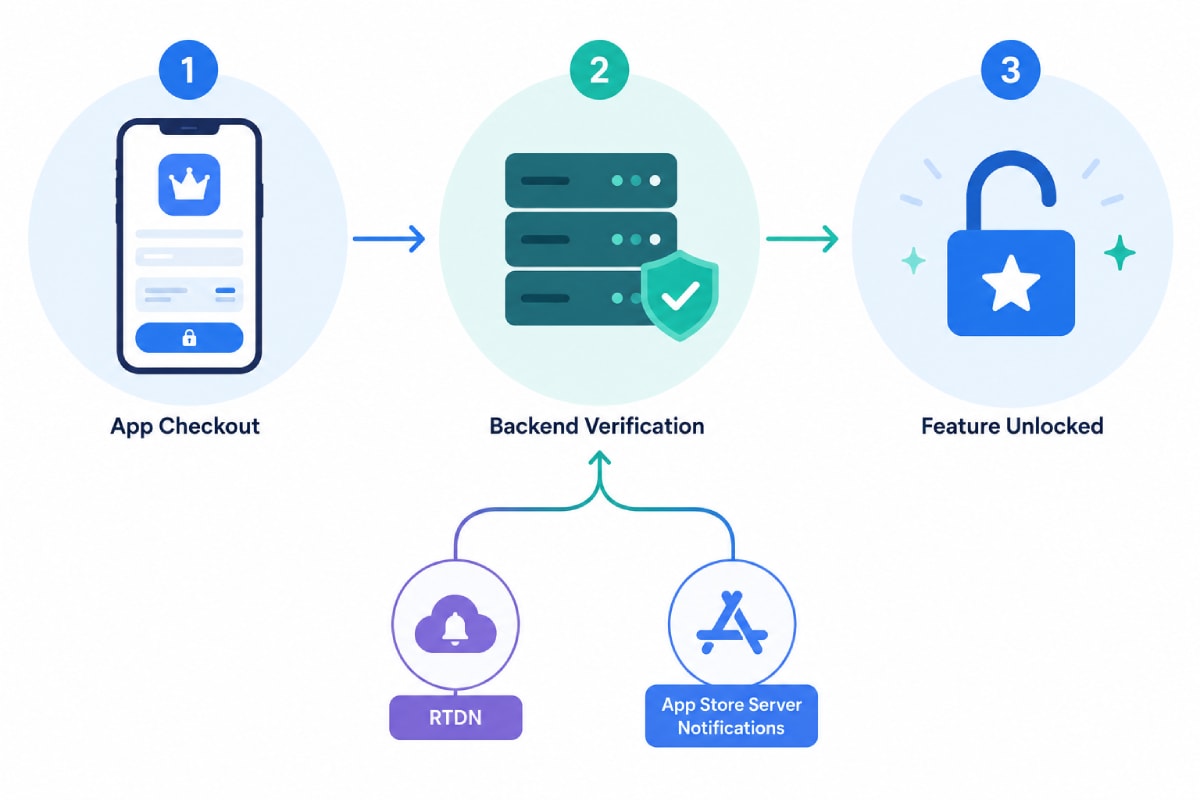
When the client receives a successful transaction, the correct response is to show an optimistic "you're subscribed" state and immediately send the transaction receipt or purchase token to your backend for verification — not to unlock premium features directly from the client callback. A client-only unlock is trivially bypassed and, more importantly, isn't reliable: the transaction can still be revoked, refunded, or fail final verification. Treat the client success callback as "the store is happy"; your server still needs to confirm it before anything durable changes.
Step 7: Validate Server-Side via RTDN and App Store Server Notifications
This is the step that actually makes a subscription system production-grade. Instead of relying on the app to tell your server "I bought something" — which fails the moment the app is killed mid-purchase or the user switches devices — your backend should be an active listener for platform-pushed events, with the client-reported receipt as a fast path, not the only path.
Apple: App Store Server Notifications V2
Configure a production and sandbox notification URL in App Store Connect and decode the signed payload (JWS) your backend endpoint receives for every subscription lifecycle event — SUBSCRIBED, DID_RENEW, EXPIRED, DID_FAIL_TO_RENEW, GRACE_PERIOD_EXPIRED, and REFUND among others. V1 notifications are deprecated; if an older integration is still on V1, migrating is worth prioritising since Apple can retire it without much notice. Keep the Get Notification History API in your toolkit too — it lets you replay notifications your server missed during a deploy or outage instead of trusting delivery blindly.
Google: Real-Time Developer Notifications (RTDN)
RTDN delivers subscription state changes to a Pub/Sub topic your backend subscribes to. The notification payload itself is intentionally thin — on receiving it, call the Google Play Developer API with the purchase token to fetch the authoritative current state, then update your own records. This two-step pattern (lightweight push, authoritative pull) is deliberate on Google's part and worth mirroring rather than trying to trust the notification body alone.
Step 8: Unlock Features Only After Server Confirmation
Once your backend has verified a transaction — either from the client-submitted receipt or from a platform notification — it should be the single place that flips a user's entitlement flag. The app then reads entitlement from your server (cached locally for offline access, refreshed on launch and on relevant lifecycle events), never derives it from local purchase state alone. This is also what makes multi-device support work correctly: a subscription bought on a phone should unlock the same account on a tablet without a second purchase, which is only possible if entitlement lives server-side.
Step 9: The Edge Cases That Actually Break Subscriptions
This is where most integrations that "work in testing" fall apart in production. A few of these are worth building for explicitly rather than discovering from a support ticket.
- Purchase stuck in PENDING — cash-based, carrier billing, and UPI-style payment methods on Google Play return a
PENDINGpurchase state rather than completing immediately, and can take anywhere from minutes to over an hour to resolve. Show a distinct "processing your payment" UI state, don't grant entitlement, and re-check purchase state viaqueryPurchasesAsyncwhen the app resumes. - Payment fails after an hour or more — a payment that was accepted by the client but fails during backend processing (or a store notification that never arrives) needs a reconciliation job, not just a webhook handler. Run a periodic sweep that re-queries any purchase token or transaction ID stuck in a pending state beyond a reasonable threshold.
- Grace period vs. account hold — when a renewal payment fails, Google Play enters a configurable grace period (commonly 3–30 days) before moving to account hold; Apple has an equivalent billing retry / grace period window. Decide deliberately whether users keep access during this window — most consumer subscription apps do, to reduce involuntary churn — and revoke only once the platform confirms expiry.
- Duplicate or out-of-order notifications — both platforms can redeliver notifications or deliver them out of order after network issues. Make your handler idempotent, keyed on transaction ID or purchase token, so replaying an old
DID_RENEWevent after a newerEXPIREDevent can't accidentally re-grant access. - Signature or JWS verification failures — never skip verifying the signed payload from either platform, even in a rush to ship. An unverified webhook endpoint is a direct path to fraudulent entitlement grants.
- Refunds and chargebacks — a
REFUNDnotification from Apple or aSUBSCRIPTION_REVOKEDRTDN from Google should revoke access immediately, unlike a normal cancellation which only takes effect at the end of the paid period.
A Simple Reference Architecture
In practice, the whole flow reduces to a small number of moving pieces: a plans endpoint your app calls on launch, a purchase-verification endpoint the app calls right after checkout, a webhook endpoint that receives RTDN and App Store Server Notifications, and an entitlement table that both read from and only the webhook and verification endpoints write to. A reconciliation job runs on a schedule to catch anything the webhooks missed. None of this needs to be elaborate — it needs to be the single, boring source of truth your app trusts over its own local state.
How We Build This at Fall Rise
We build this pattern into the custom software and Flutter apps we ship for clients running subscription models — on iOS with StoreKit 2 and Android with Play Billing — backed by a lean backend on infrastructure we set up and manage, hosted and monitored through our own deployment pipelines, so notification endpoints stay reliable instead of quietly dropping events during a redeploy. You can see examples of the products we've shipped on our projects page.
Subscription IAP is one of those integrations that looks simple in a demo and gets genuinely hard the moment real users, real renewals, and real payment failures show up. If you're building or fixing a subscription flow and want a second set of eyes on the architecture before it ships, let's talk.